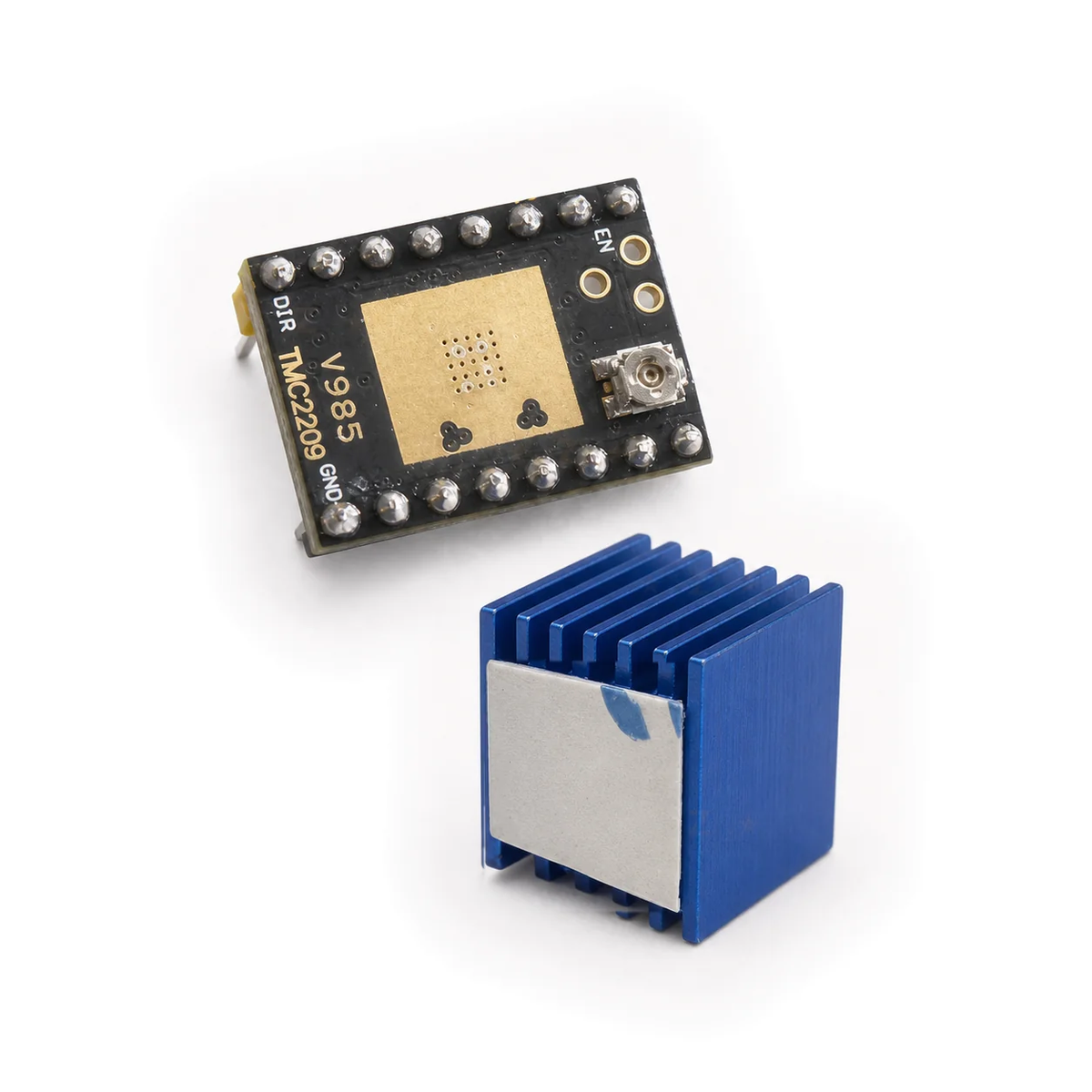
TMC2209 V985 Stepper Motor Driver Module with Heatsink
TMC2209 V985 Stepper Motor Driver Module with Heatsink
Couldn't load pickup availability
Control a two-phase bipolar stepper motor with this black V985 TMC2209 module, supplied with soldered headers and a separate blue aluminium heatsink.
Use STEP/DIR signals for motion control, with optional UART configuration when supported by your controller and firmware.
Module specifications
These are supplier-stated figures for the V985 module, not Techexpress NZ measurements or load-test results.
| Board | Black V985 TMC2209 module |
|---|---|
| Motor supply (VM) | 5.5–28 V DC; not suitable for 36 V or 48 V supplies |
| Logic supply (VIO) | 3.3 V or 5 V |
| Control | STEP/DIR; optional UART configuration |
| Headers | Two soldered rows of eight pins, 2.54 mm pitch |
| PCB size | 20.5 × 15.0 mm; allow additional clearance for headers and heatsink |
| Current setting | Onboard trimmer or UART, depending on module and controller configuration |
Driver IC features
The TMC2209 IC supports StealthChop2, SpreadCycle and MicroPlyer microstep interpolation. Available modes and UART access depend on the module wiring, controller and firmware. IC maximum ratings are not guaranteed operating ratings for the complete module.
Included
- 1 × V985 TMC2209 driver module with both header rows soldered.
- 1 × separate blue aluminium heatsink with thermal adhesive.
Connection functions
This is a function reference, not a physical pin-position diagram. Match the labels on your exact module and carrier.
| VM / GND | Motor supply and return |
|---|---|
| VIO / GND | Logic supply and common logic reference |
| STEP / DIR | Step-command and direction inputs |
| EN | Enable input; check the carrier documentation for its active state |
| M1A / M1B | First motor winding pair |
| M2A / M2B | Second motor winding pair |
| PDN / UART | Power-down/serial configuration; routing depends on the carrier |
Compatibility and safe setup
Check every pin label and supply rail against your controller documentation before fitting the module. The common two-row socket format alone does not establish compatibility. Do not assume a drop-in replacement for an A4988, DRV8825 or another TMC2209 board. Physical header positions, UART routing and tested controller compatibility have not been independently verified by Techexpress NZ.
- Disconnect motor power, logic power and USB before fitting the module or changing wiring.
- Confirm orientation, motor supply, logic supply and ground connections against the exact module and carrier documentation. Do not infer orientation from board colour or trimmer position.
- Fit the heatsink’s adhesive base to the large gold thermal area on the reverse, keeping it clear of pins, the trimmer and other electrical contacts.
- Identify the motor’s two winding pairs with a meter. With power off, connect one winding to M1A/M1B and the other to M2A/M2B, following the exact module labels.
- Set current conservatively using the instructions for your exact module and controller. Do not reuse an A4988 or DRV8825 Vref setting. No universal Vref multiplier or guaranteed continuous module current is specified here.
- Configure STEP/DIR or UART in the controller, then test a short, slow move. Stop if motion is erratic or temperature rises rapidly. Switch every supply off before making changes.
Never connect or disconnect the motor while powered. Keep current within both motor and module limits. Cooling, airflow, ambient temperature and configuration affect the usable current.
Troubleshooting
- No motion: check supply rails, reference ground, enable state and STEP commands against the controller documentation.
- Buzzing or missed steps: power off and check winding pairs, current setting, microstep configuration and mechanical load before increasing current.
- Overheating: stop, review the current setting and heatsink contact, and improve cooling before retesting.
- UART not responding: check the carrier’s UART routing and firmware settings; UART support is not established by the socket shape alone.