


USB to Serial Port adapter converter cable 9 Pin DB9 Windows 7 8 10 Prolific 2303
USB to Serial Port adapter converter cable 9 Pin DB9 Windows 7 8 10 Prolific 2303
Couldn't load pickup availability
USB to 9 Pin Male Serial Port RS-232 Adapter Cable.
Guaranteed reliability. Our USB serial port adapter includes a 2 Year Techexpress New Zealand Guarantee.
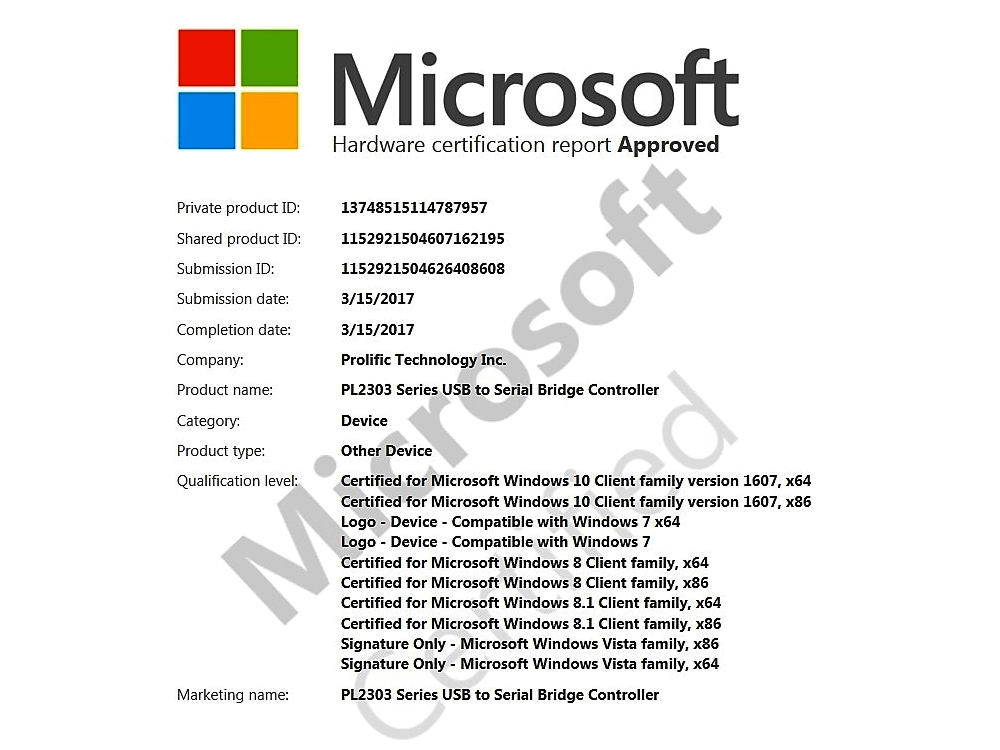
This USB to Serial Converter is Microsoft Certified as compatible with Windows 7, Windows 8 and Windows 10.
The Prolific PL2302 series USB to 9 Pin Male Serial RS-232 converter adapter allows a Windows, Linux or Apple Mac computer with a standard USB port to use an RS-232 serial device via the USB port.
Powered by a genuine PL2303 chipset, this USB to Serial adapter is ideal for modems, thermal printers, Zebra printers, POS systems, ISDN terminal adaptors and Cisco console cables.
Works with;
Windows 10 (32 / 64 bit)
Windows 8
Windows 7
Windows XP
Linux
Apple Mac OSX
• Cable length: 1.5m.
• Up to 250kbps data transfer rate.
• USB Powered. No power supply needed.
• Fully compatible with USB 1.1, USB 2.0, USB 3.0.
• Automatic flow control with CTS/RTS/ XON/XOFF.
• Supports remote wake-up & power management.
Connector A: Male Standard USB Type-A Plug.
Connector B: Male 9 Pin DB9 Serial Plug.
Package includes: 1x USB to Serial RS 232 converter cable.
Combine & Save. See our listings for Serial extension cables, Null Modem adapters & cables, USB cables, DB9 9 Pin gender changers, Cisco cables, Network cables, tools and accessories.
Packaging: Bulk.
14 Day 'change of mind' return in unused condition for a refund less shipping fees.
2 Year return to base refund or replace guarantee.
Installation Drivers, Hints, Tips and Troubleshooting:
How to Install Driver
===========================
1. Unplug any PL2303 USB Device first.
2. Run Driver Installer EXE program to install. Wait to finish.
3. Plug PL2303 USB Device and go to Device Manager to check COM Port number.
4. You may need to restart Windows or rescan hardware in Device Manager.
5. Refer to PL2303 Windows Driver User's Manual.
Driver download links: (Opens in a new window)
Download Driver for Windows (option 1): 💾
Download Driver for Windows (Alternative, option 2): 💾
Download Driver for Windows (Alternative, option 3): 💾
Download Driver for Mac: 💾
User manual download links: (Opens in a new window)
Download user manual for Windows: 💾
Download user manual for Mac: 💾
We welcome & answer all questions.


Product questions & answers
Understand how this product works and whether it suits your setup. Have a question? Our team reviews and emails answers 24/7—typically within 1–2 hours.