


MAX98357A Stereo I2S Audio Amplifier Module Dual Channel
MAX98357A Stereo I2S Audio Amplifier Module Dual Channel
Couldn't load pickup availability
Add left and right speaker output to your next digital audio project with this dual-channel MAX98357A I2S amplifier module. It combines two MAX98357A amplifier chips on one board, providing stereo amplification for two passive speakers.
⚠️Incoming stock — expected 18–22 November 2026. Order now for dispatch once stock arrives. Arrival dates are estimates.
Suitable for internet radios, desktop speakers and other audio projects using an ESP32, Raspberry Pi or another controller configured to output compatible I2S audio.
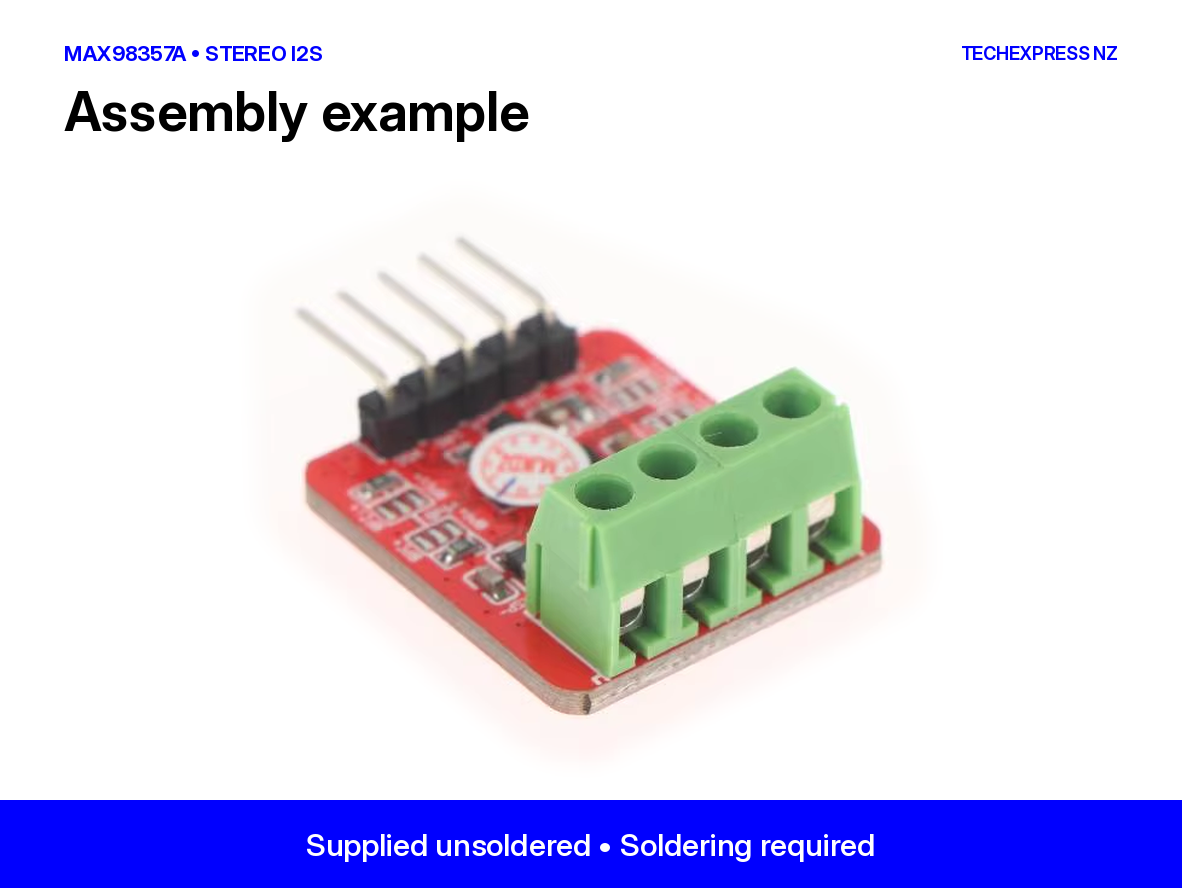
Soldering required: supplied as the unsoldered version, with connection parts supplied loose.
Features
• Two amplifier channels on one PCB for left and right audio.
• Digital I2S input with integrated digital-to-analogue conversion and Class D amplification.
• Shared audio data and clock connections for both channels.
• Separate speaker output pairs for straightforward stereo wiring.
• No separate master clock (MCLK) required.
Technical Specifications
| Specification | Details |
|---|---|
| Product code | MAX98357A-I2S-STEREO-AMP-NZ |
| Amplifier configuration | Dual MAX98357A — two channels |
| Audio input | Standard I2S digital audio |
| Supply voltage | 2.5–5.5 V DC |
| Speaker loads | 4 Ω or 8 Ω passive speakers; one per channel |
| Output power reference | 3.2 W per channel at 5 V into 4 Ω at 10% THD+N* |
| Audio data | 16-bit, 24-bit or 32-bit I2S |
| Sample rates | Supported I2S rates from 8–96 kHz |
| Master clock | Not required |
| Assembly | Soldering required for headers and terminal blocks |
| Applications | Internet radios, stereo speaker projects, embedded audio and electronics prototyping |
Power is a typical MAX98357A chip reference figure, not a measured continuous rating for this assembled board. THD+N means total harmonic distortion plus noise. Output at lower distortion is lower; usable power depends on the supply, speakers and thermal conditions.
Connection and use
With power disconnected, solder the required connectors and connect your controller’s I2S data output to DIN. Connect the corresponding bit clock and left/right clock signals, plus a common ground. Configure the controller for stereo I2S output and start at low volume.
Speaker wiring: connect each speaker only across its own channel’s positive and negative outputs. Neither speaker terminal is ground. Do not join the channels, connect a speaker output to ground, or connect the outputs to headphones, an AUX input or another amplifier.
Use a suitable DC supply within the specified range. Do not connect this module directly to mains power.
Package contents
• 1 × Dual-channel MAX98357A I2S stereo amplifier module.
• Loose pin headers and speaker terminal blocks for soldering.
Speakers, controller, connecting wires and power supply are not included.
Frequently asked questions
How does this differ from the single-channel MAX98357A module?
This board combines two amplifier channels, allowing separate left and right speakers to reproduce a stereo source.
Will it work with an ESP32 or Raspberry Pi?
It can be used with a compatible I2S output and suitable software configuration. Wiring and audio setup are required; it is not a USB audio adapter.
Can I connect a phone’s headphone output or use Bluetooth?
There is no analogue audio input or built-in Bluetooth receiver. Audio must come from a compatible I2S source.
How do I control the volume?
Adjust the digital audio level in your controller’s software. This module does not include a volume knob.
People also search for
Dual MAX98357A amplifier, stereo I2S amplifier board, ESP32 stereo audio module, Raspberry Pi I2S speaker amplifier, two-channel Class D amplifier.


Product questions & answers
Understand how this product works and whether it suits your setup. Have a question? Our team reviews and emails answers 24/7—typically within 1–2 hours.