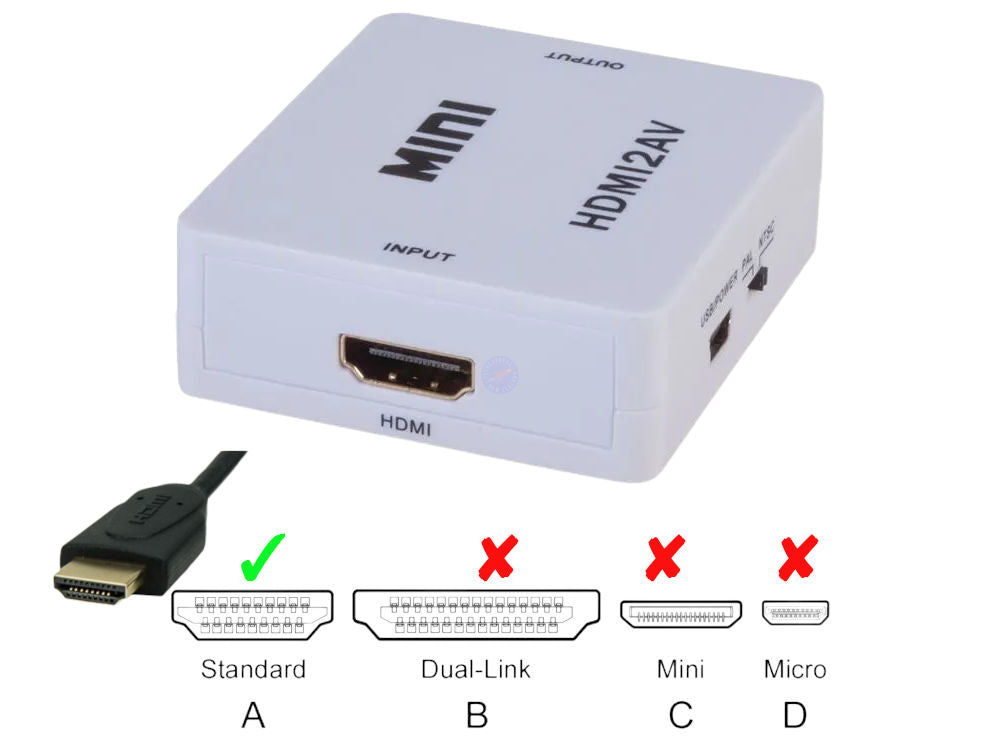
HDMI to AV RCA 1080P Composite Audio Video CVBS Adapter Converter
HDMI to AV RCA 1080P Composite Audio Video CVBS Adapter Converter
Couldn't load pickup availability
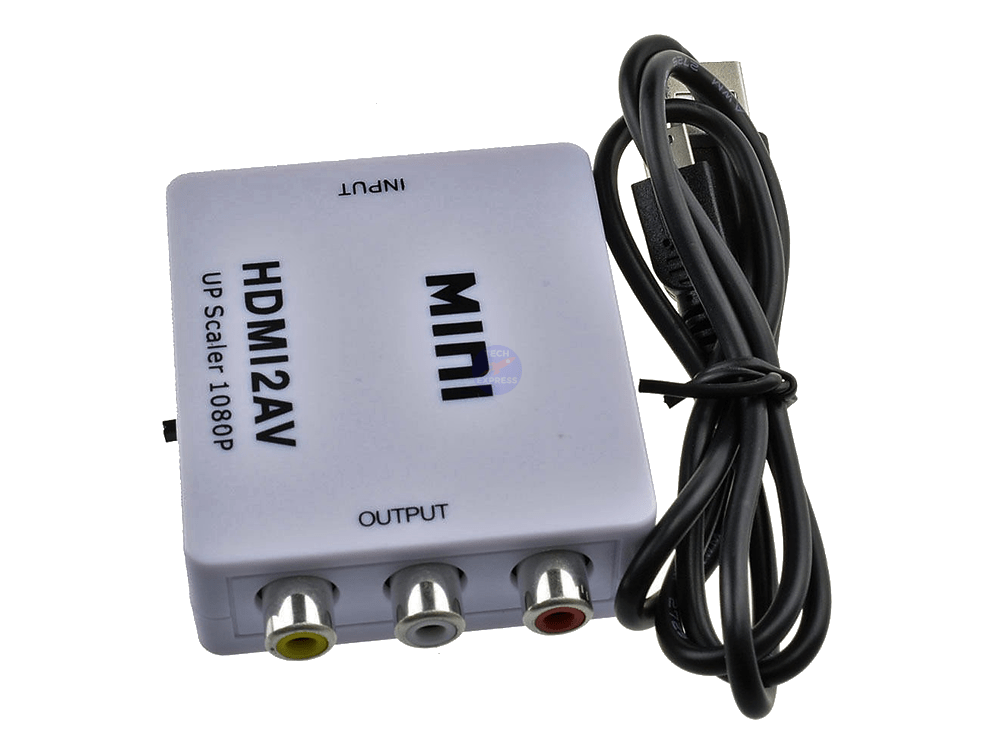
HDMI to RCA AV 1080P Composite Audio Video CVBS Adapter Converter.
Guaranteed reliability: Our HDMI to RCA converter includes a 2-Year Techexpress New Zealand Guarantee.
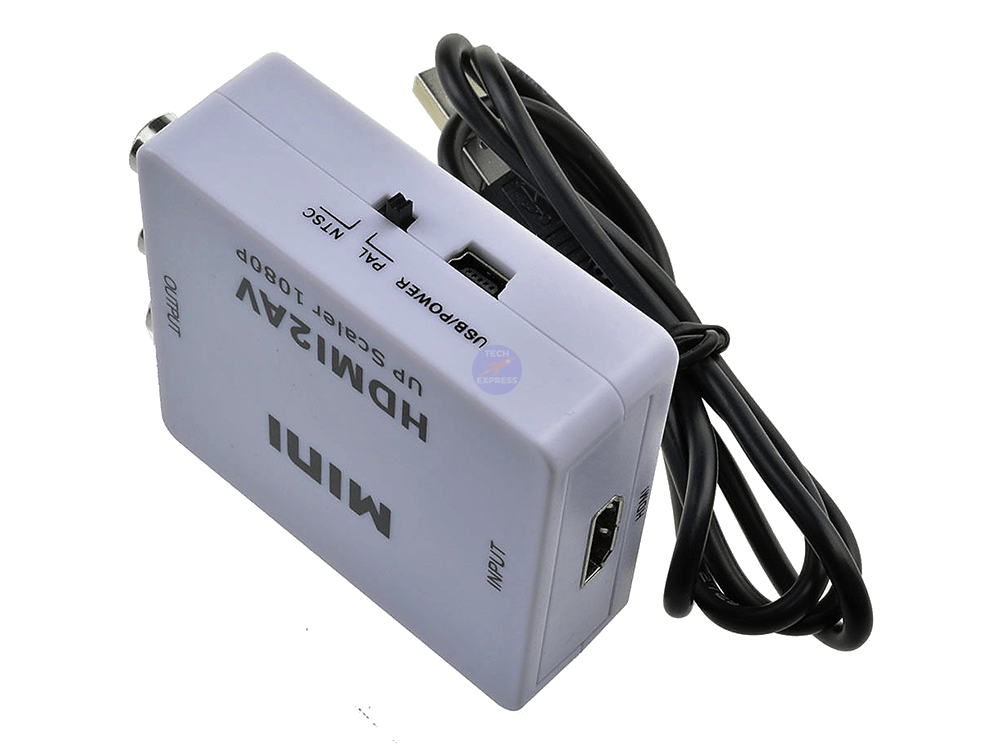
This handy converter can be easily switched from PAL to NTSC at the flick of a switch and accepts USB power.
The mini HDMI to AV signal converter will convert HDMI audio and video to composite CVBS AV stereo audio and video. The HDMI2AV HDMI to Composite AV RCA Converter is also known as an HDMI to RCA Converter, HDMI2AV Adapter, or HDMI to AV Converter.
Applications: DVD recorders, HD camera, HD DVD, NES Mini, Projector, SNES Mini, THEC64 MINI, VCR, VHS and other devices with an HDMI output.
The Techexpress HDMI to RCA converter and up-scaler not only allows older TVs to work with newer devices but will also help the images on that old television's screen look better than ever. It enhances the brightness and contrast of the images it processes.
Low power.
Plug and play.
Requires no drivers.
Preserves colour fidelity.
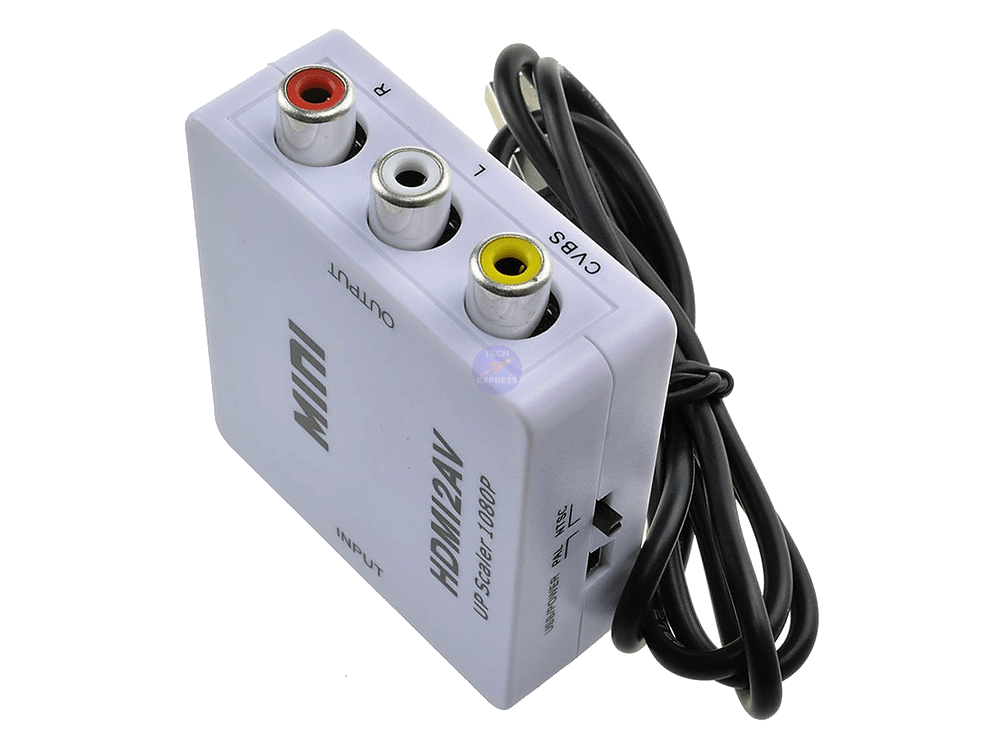
Colour-coded RCA ports.
Quality stereo sound transmission.
Helps extend the life of older televisions.
Supports High Resolution up to 1920x1080@60Hz.
HDMI2AV Technical Specifications:
Input: HDMI.
Output: Composite AV (RCA).
Sold as: Each.
Colour: White.
Power: USB 5V.
Condition: New.
Packaging: Bulk.
Bidirectional: No.
Model: HDMI2AV.
Compatible: HDMI 1.3.
Product Code: HDMI2AV-RCA-NZ.
Product Type: HDMI to RCA Converter.
Product Marking: 'Mini HDMI2AV UP Scaler 1080P'.
Audio signal output: 2-channel, Left and Right, Stereo audio.
Video signal output format: Composite CVBS PAL, NTSC_M, NTSC_J.
Device Power Supply Connector: Female USB Mini-B Receptacle/Socket.
Resolution Support: 640x480@60Hz, 800x600@60Hz, 1024x768@60Hz, 1280x720@60Hz, 1280x1024@60Hz, 1360x768@60Hz, 1600x1200@60Hz, 1920x1080@60Hz, 1080p@60Hz.
Input Ports: 1x Female HDMI connector, 1x Female Mini-B receptacle/socket power supply connector.
Output Ports: 3x Female RCA (composite) AV connectors:
-
🔴 Red – Audio Right
-
⚪ White – Audio Left
-
🟡 Yellow – Composite Video
Learn More About the Technologies and Standards:
- HDMI Audio/Video Standards: https://en.wikipedia.org/wiki/HDMI
- Composite Audio/Video Standards: https://en.wikipedia.org/wiki/Composite_video
Package includes:
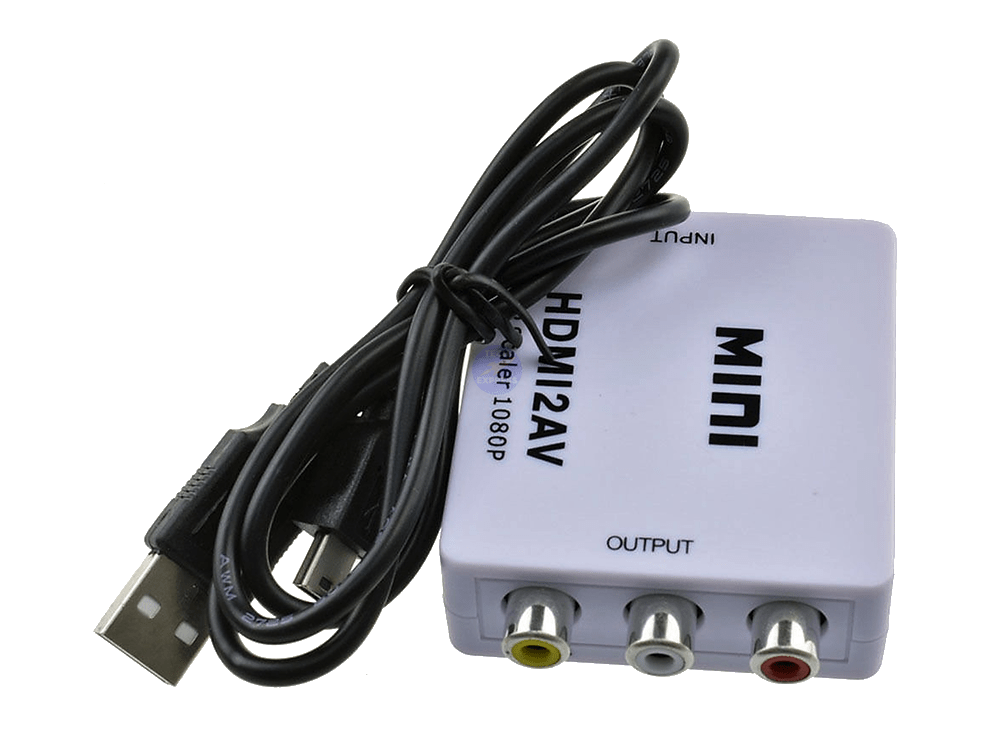
1x HDMI to RCA AV converter.
1x 0.5m USB Type-A to Mini-B (5-pin) Power Supply Cable.
Combine & Save. See our listings for HDMI, RCA cables and USB power Supplies.
Warranty & Returns:
2-Year return-to-base refund or replacement guarantee.
💾 Download HDMI2AV User Manual (PDF)
-
No video or audio output:
- Check the power: Ensure the Mini HDMI2AV converter is properly connected to a power source via its USB cable. Avoid a USB hub, as the power may not be sufficient to power the HDMI converter.
- Verify HDMI connection: Double-check that the HDMI cable is securely connected to both the input device (e.g., laptop, game console) and the HDMI input port on the converter.
- Confirm AV connection: Make sure the AV cable is firmly connected to both the converter's output and the display device (e.g., TV, monitor). Ensure that the Red, White and Yellow RCA audio and video output connectors go to the correct inputs on the display device via a reliable RCA cable. For best results, an RCA cable with a thicker RG59 type coaxial video cable will deliver better results.
- Test cables: Try using different HDMI and AV cables to rule out any issues with the cables themselves.
-
Poor video or audio quality:
- Check cable quality: Low-quality or damaged cables may cause signal degradation. Replace any cables that appear worn or damaged.
- Use a known good HDMI cable.
- The shorter the HDMI cable, the better.
- The higher the quality of the HDMI cable, the better.
- Adjust the input device's resolution: The Mini HDMI2AV converter typically supports a wide range of input resolutions, but some devices may not be compatible with specific settings. Adjust the resolution on your input device to a lower setting and see if the quality improves.
- Verify PAL/NTSC switch: The converter should have a PAL/NTSC switch to select the appropriate video format for your region. Make sure the switch is set to the correct position.
- Check cable quality: Low-quality or damaged cables may cause signal degradation. Replace any cables that appear worn or damaged.
-
No colour or incorrect colours displayed:
- Inspect AV cable connections: Ensure that the AV cable is connected to the correct ports on both the converter and the display device. The colour-coded connectors should match the corresponding ports.
- Test cables: As with poor video or audio quality, faulty cables may cause colour issues. Replace any suspicious cables and retest.
-
Display device not recognising the input signal:
- Power cycle the devices: Turn off the input device, Mini HDMI2AV converter, and display device. Wait a few moments, then turn them back on in the following order: input device, converter, and display device. This may help re-establish the connection.
- Verify compatibility: Ensure that the input device and display device are compatible with the Mini HDMI2AV converter. Check the converter's specifications to confirm supported input and output formats.
-
Audio output issues:
- Confirm audio settings: Some input devices may require you to manually enable audio output via HDMI. Check your device's audio settings to ensure that HDMI audio is enabled.
- Inspect cable connections: Loose or improperly connected cables may cause audio issues. Double-check all connections to ensure they are secure.
Note. A note on ARC. This model HDMI to AV converter does not include the HDMI ARC (Audio Return Channel) feature. The HDMI audio signal is not sent back to the source.
Note that using a Mini HDMI2AV converter may result in a lower video quality due to the conversion from a digital to an analog signal. Features like 4K video and Dolby Atmos audio will not be supported when using this type of connection.
The HDMI2AV converter has a USB Mini-B power socket connector. While a USB Type-A to Mini-B power supply cable is included, you may wish to use a longer cable. The HDMI to Composite video converter does not include a 5V Power adapter.
⚠️ Important Note: Not AV2HDMI
There is a similar-looking product called AV2HDMI, which performs the opposite function: it converts RCA (analog) signals to HDMI (digital).
✅ HDMI2AV = Modern HDMI device → Old TV with RCA input❗ If your setup isn’t working, double-check that you're using the correct converter:
❌ AV2HDMI = Old device with RCA output → Modern HDMI display
If you're still unable to get a signal, the issue may be due to having the wrong direction converter for your use case.
We welcome & answer all questions.